
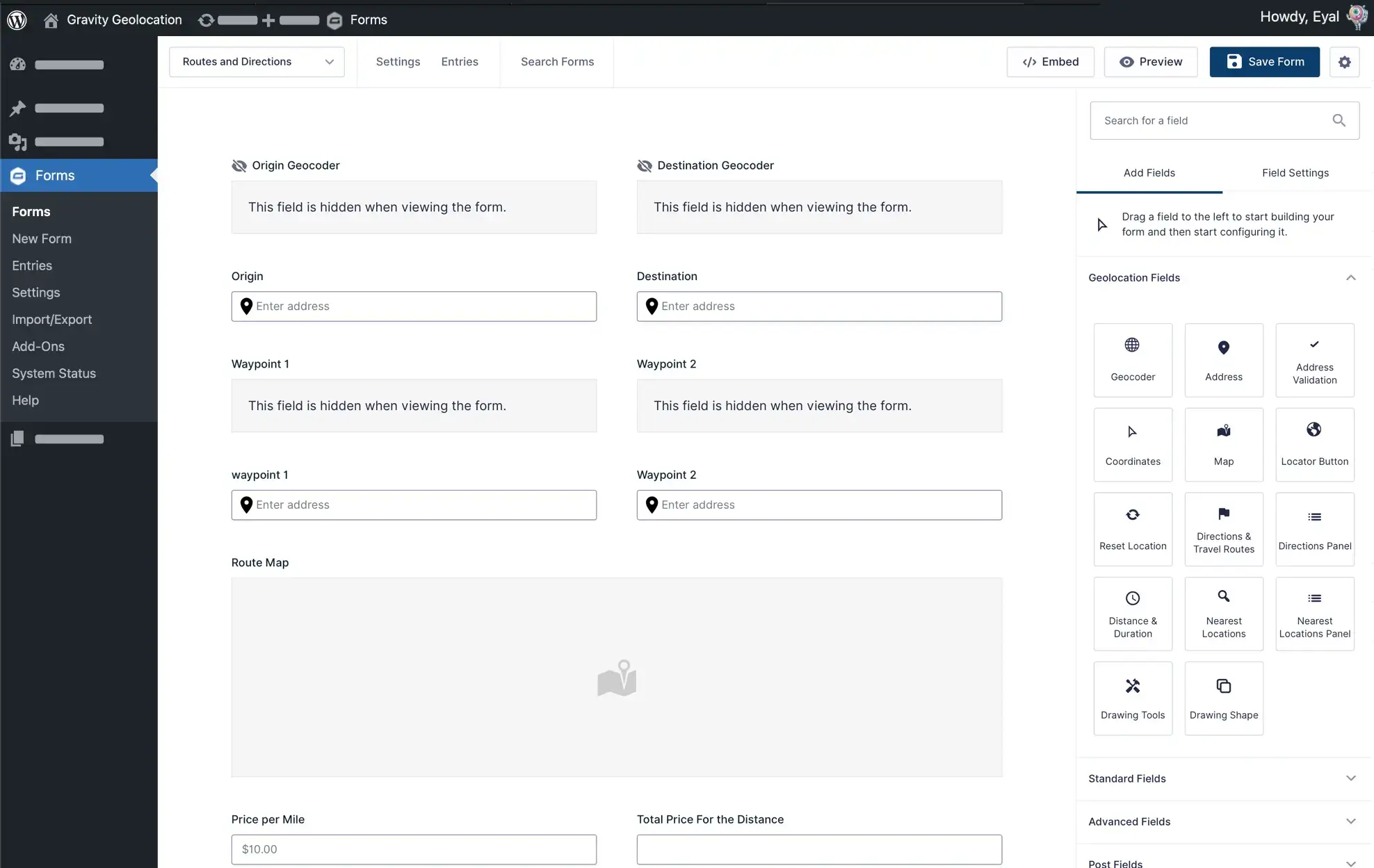
A Complete Geolocation and Search Platform for Gravity Forms
Gravity Geolocation adds location fields, interactive maps, route calculations, address validation, proximity tools, and frontend entry search to Gravity Forms.
Choose a focused package for collecting locations, calculating routes, or searching entries—or use All Access for the complete geolocation and search platform.
Whether you are building a business directory, store locator, member directory, delivery calculator, customer portal, or property-listing website, Gravity Geolocation lets you create location-aware Gravity Forms workflows without replacing Gravity Forms or introducing a separate form builder.
Choose the Tools Your Project Needs
Gravity Location
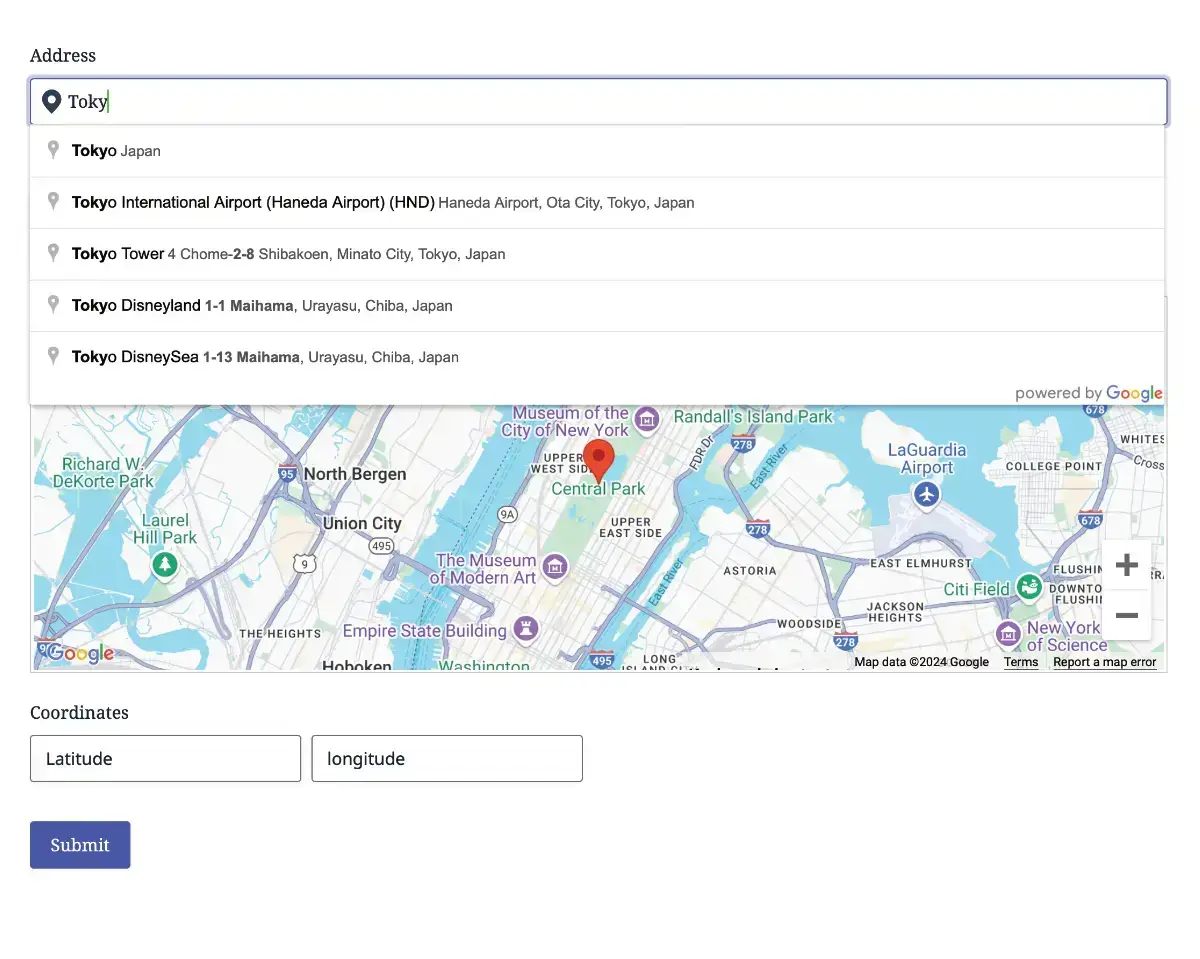
Collect and synchronize addresses, coordinates, map-selected locations, and visitors’ current positions using native Gravity Forms fields.
- Geocoder Field – Connect related location fields and keep their data synchronized.
- Address Field – Collect addresses using Google-powered autocomplete and geocoding.
- Map Field – Let users select or refine a location directly on an interactive map.
- Coordinates Field – Capture or display latitude and longitude coordinates.
- Locator Button – Detect and use the visitor’s current location.
- Reset Location Button – Clear a selected location and its connected field values.
- Dynamic Location Data – Populate compatible Gravity Forms fields with address and location data.
Gravity Directions
Create focused route and travel-calculation workflows using addresses, map-selected locations, distance, duration, and turn-by-turn directions.
- Distance and Duration Field – Calculate travel distance, estimated travel time, or straight-line distance.
- Directions Field – Calculate and display routes between two or more locations.
- Route Maps – Display the calculated route on an interactive map.
- Directions Panel – Present readable turn-by-turn instructions.
- Travel Data Outputs – Use calculated distance and duration in Gravity Forms calculations, pricing, conditional logic, and notifications.
- Connected Location Inputs – Build routes using the included Address, Geocoder, and Map fields.
Geolocation Toolkit
Geolocation Toolkit combines Gravity Location and Gravity Directions with the complete set of advanced geolocation and standalone mapping tools.
- Everything in Gravity Location
- Everything in Gravity Directions
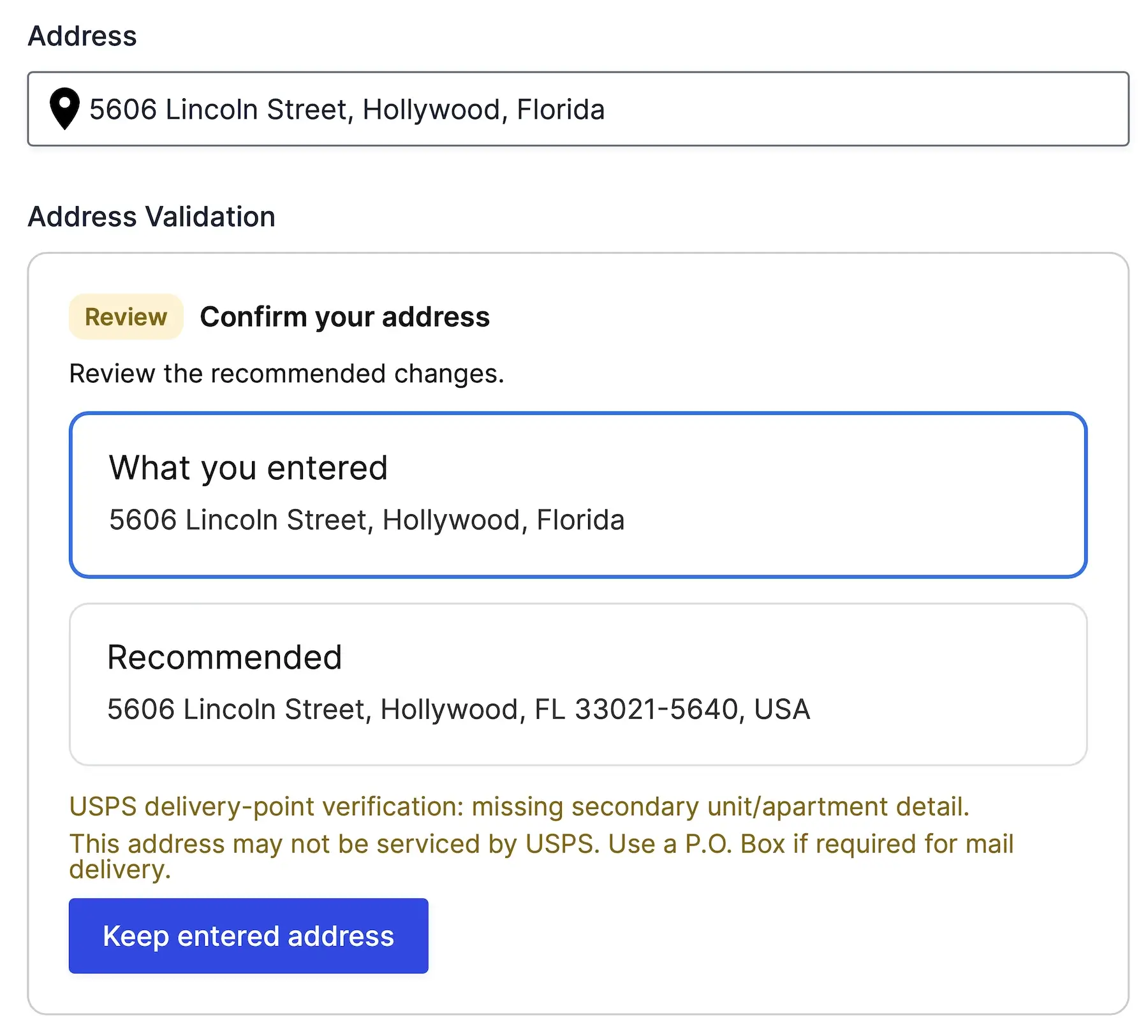
- Address Validation – Verify, correct, and standardize submitted addresses.
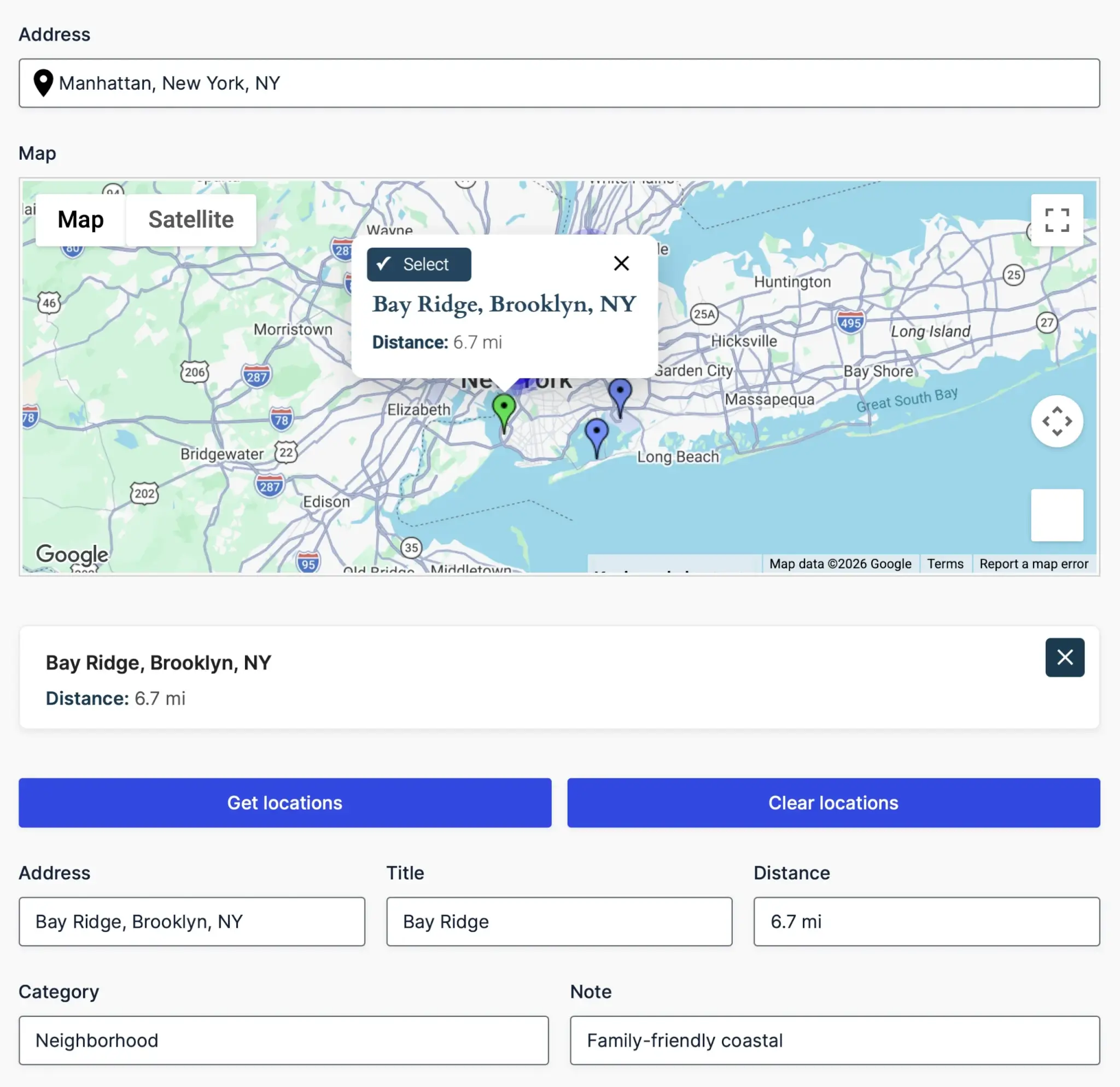
- Nearest Locations – Find the closest destination by radius, driving distance, or travel time.
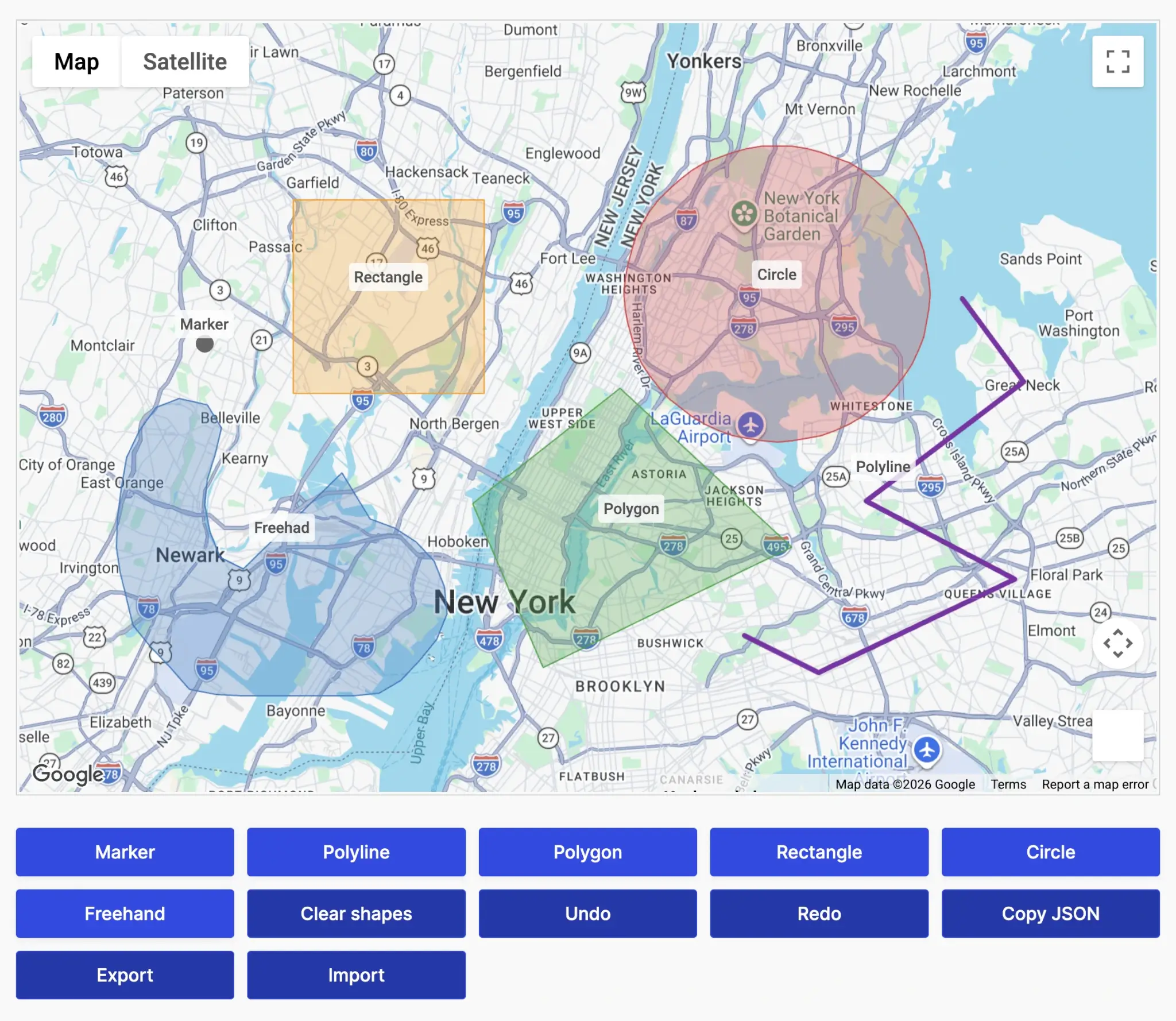
- Drawing Tools and Shape Fields – Create and store circles, polygons, rectangles, lines, and other GeoJSON shapes.
- Single Entry Maps – Display the location associated with an individual Gravity Forms entry.
- Mashup Maps – Display multiple entries or custom location datasets on one interactive map.
Gravity Search
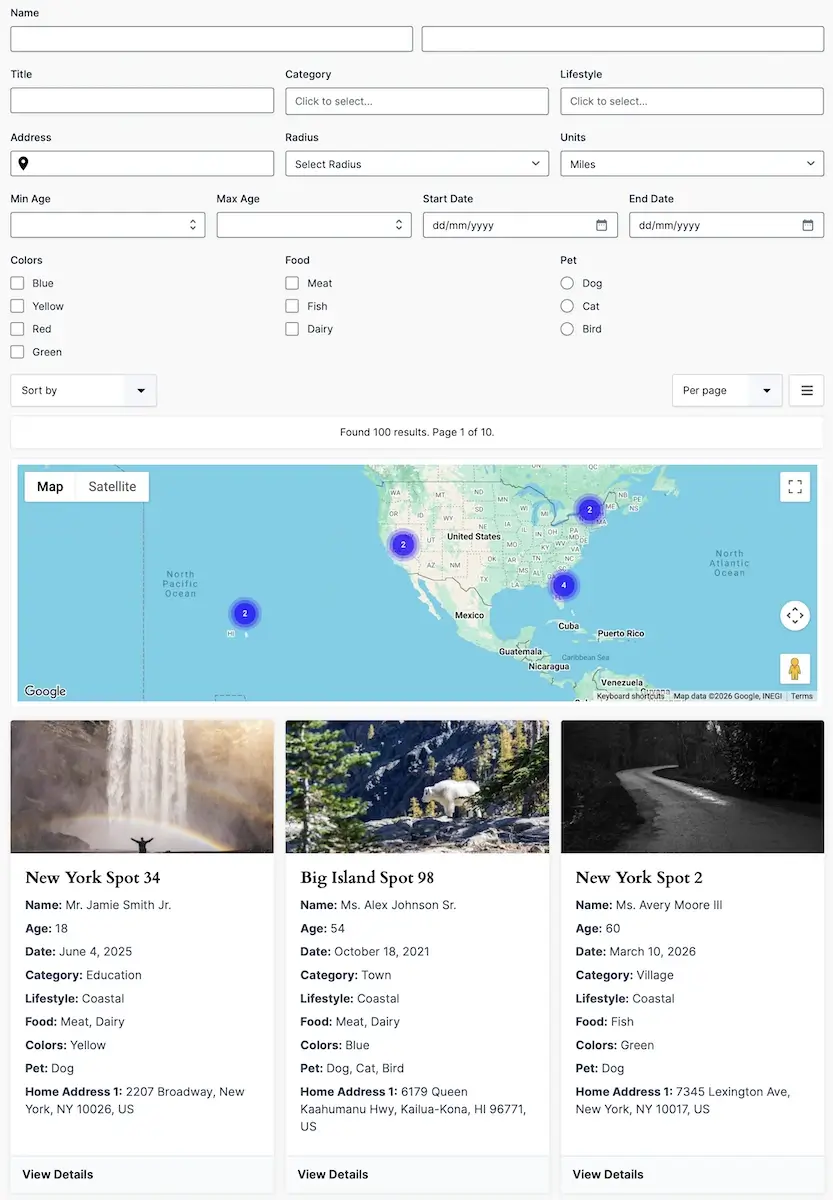
Turn Gravity Forms entries into searchable directories, locators, listings, and frontend portals.
- Search Form Builder – Build search forms using standard Gravity Forms fields.
- Flexible Filters – Search text, dropdowns, dates, numbers, custom fields, and location data.
- Proximity Search – Find entries within a selected distance of an address or current location.
- Sorting and Pagination – Control how matching entries are ordered and displayed.
- Custom Results Layouts – Display results in grids, lists, tables, or maps.
- Entry Details Pages – Create dedicated frontend pages for individual results.
- Access Controls – Build public directories or location-aware customer and member portals.
Gravity Search can work as a standalone package with existing Gravity Forms entry data. It does not include the Gravity Geolocation fields used to collect new location data. Pair it with a geolocation package or choose All Access when your project needs both data collection and frontend search.
All Access
All Access includes every feature in Geolocation Toolkit and Gravity Search, delivered together through one plugin and one license.
- All Gravity Location fields and current-location tools.
- All distance, duration, routing, and directions features.
- Address Validation, Nearest Locations, and Drawing Tools.
- Single Entry Maps and Mashup Maps.
- The complete Gravity Search form, filtering, results, maps, and details-page system.
All Access is the best fit for projects that need to collect, validate, calculate, map, and search location data as part of one connected Gravity Forms workflow.
Build Complete Location-Aware Workflows
Gravity Geolocation fields share location data through connected Geocoder Fields. When an address, coordinate, map marker, or detected location changes, the connected fields can update together.
The resulting data can be used throughout Gravity Forms, including:
- Conditional logic.
- Calculations and pricing fields.
- Confirmations and notifications.
- Merge tags and entry details.
- Exports and third-party integrations.
- Advanced Post Creation and User Registration feeds.
- Gravity Search filters and frontend results.
Popular Use Cases
- Business Directories – Collect business locations and publish searchable frontend listings.
- Store Locators – Help visitors find nearby stores, offices, pickup points, or service providers.
- Member Directories – Search and display members by profile data and location.
- Customer Portals – Allow logged-in users to find and view entries relevant to them.
- Delivery and Mileage Forms – Calculate distance, travel time, delivery charges, or mileage reimbursement.
- Property Listings – Collect addresses and present properties through searchable maps and details pages.
- Service Areas – Draw, store, and evaluate geographic boundaries and delivery zones.
- Validated Address Workflows – Review and standardize addresses before accepting a submission.
- Nearest-Location Selection – Route visitors to the closest store, office, branch, or service location.
Google Maps API Requirements
Gravity Geolocation uses separate Browser and Server API keys. Each key should be restricted for its intended environment.
Core APIs
- Maps JavaScript API – Displays and controls interactive maps.
- Places API (New) – Powers current address and place autocomplete.
- Geocoding API – Converts addresses to coordinates and coordinates to addresses.
Feature-Specific APIs
- Routes API – Required for directions, driving distance, travel duration, and route-matrix calculations.
- Address Validation API – Required when using the Address Validation Field.
- Maps Static API – Required when displaying static map images.
Google’s Geolocation API is not required. Current-location detection uses the visitor’s browser geolocation or the IP-location provider configured in the plugin.
For complete setup and restriction instructions, follow the Gravity Geolocation Google Maps API key guide.
Why Choose Gravity Geolocation?
- Native Gravity Forms Integration – Build location workflows using familiar forms, fields, entries, calculations, notifications, and conditional logic.
- Focused Packages – Purchase only the location, routing, toolkit, or search functionality your project needs.
- Connected Location Data – Keep addresses, coordinates, maps, and related field values synchronized.
- One Platform for Simple and Advanced Projects – Start with an address and map or build complete directories, portals, routing systems, and service-area workflows.
- Package-Aware Loading – The plugin loads the functionality included with the active package.
- Developer Friendly – Extend and customize workflows using Gravity Forms APIs, hooks, filters, templates, and stored entry data.
Learn More
- Explore all Gravity Geolocation features
- Compare packages and site licenses
- View the documentation
- Contact support
Frequently Asked Questions
Which Gravity Geolocation package should I choose?
Choose Gravity Location to collect addresses, coordinates, map selections, and current locations. Choose Gravity Directions for routes, travel distance, duration, and directions. Choose Geolocation Toolkit for the complete collection, routing, validation, drawing, nearby-location, and standalone-map toolset. Choose Gravity Search for searchable Gravity Forms directories and frontend entry displays. Choose All Access when you need every geolocation and search feature.
Do I need separate Browser and Server API keys?
Yes. The Browser API Key is used by maps and other browser-based features and should be restricted to your website domains. The Server API Key is used for secure requests made by WordPress and should be restricted to your server’s outbound IP address.
Which Google APIs must be enabled?
Core map and location workflows use Maps JavaScript API, Places API (New), and Geocoding API. Enable Routes API for directions and travel calculations, Address Validation API for address validation, and Maps Static API when displaying static map images.
Can Gravity Search be used without the geolocation fields?
Yes. Gravity Search can search and display existing Gravity Forms entry data without a geolocation package. However, Gravity Search does not include the Gravity Geolocation fields used to collect new addresses, coordinates, or map-selected locations.
Can I search existing Gravity Forms entries?
Yes. Gravity Search can create searchable frontend results from existing Gravity Forms entry data. Location-based filtering requires suitable location data, such as stored coordinates, in the entries being searched.
Can I display one or multiple entries on a map?
Yes. Geolocation Toolkit and All Access include Single Entry Maps for individual entries and Mashup Maps for displaying multiple entries or custom location datasets together.
Do I need to install several plugins with All Access?
No. All Access delivers the complete Geolocation Toolkit and Gravity Search feature set through one Gravity Geolocation plugin and one license.
Does Gravity Geolocation replace Gravity Forms?
No. Gravity Geolocation extends Gravity Forms. An active Gravity Forms installation is required, and the geolocation features work with your Gravity Forms forms, fields, entries, calculations, notifications, and connected add-ons.
Does it work with every Gravity Forms license level?
Gravity Geolocation itself does not require a specific Gravity Forms license tier. However, any Gravity Forms features or official add-ons used in your workflow must be available through your Gravity Forms license.