
Collect addresses and locations with Ninja Forms
Ninja Geolocation — Starter adds address autocomplete, geocoding, interactive maps, and current-location tools to Ninja Forms. Let visitors select an address, choose a location on a map, or share their current position, then save the location information with their submission.
Included features
- Address autocomplete: help visitors find and select addresses using Google Places suggestions.
- Geocoding: collect coordinates and available structured address components, such as city, region, postal code, and country.
- Interactive maps: display locations inside your forms and let visitors refine their selection using a draggable map marker.
- Coordinates fields: collect latitude and longitude values.
- Locator Button: let visitors request their current location.
- Reset Location: let visitors clear their selected location.
- Dynamic Location Data: populate connected form fields with collected location values for use in your form workflows.
Need more geolocation tools?
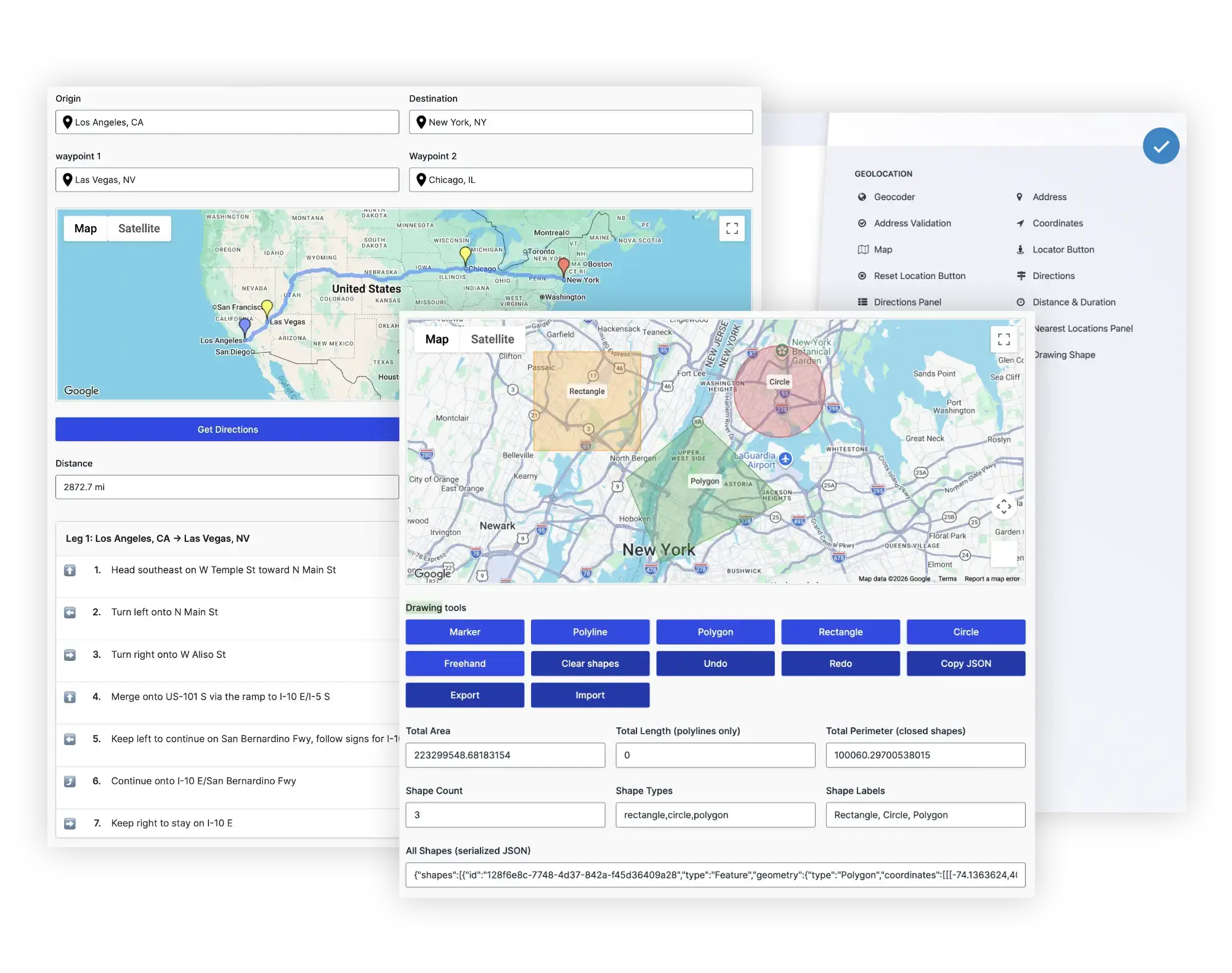
Choose Ninja Geolocation — Pro for everything in Starter plus distance and duration calculations, directions, address validation, drawing tools, nearest-location searches, and standalone submission maps.
Pro includes the complete feature set and offers license options for 1, 3, or 20 sites.
Requirements
- Ninja Forms must be installed and activated.
- Google-powered features require your own Google Maps Platform API keys and the relevant services enabled.
- Google Maps Platform usage is subject to Google's pricing and billing requirements. Google service charges are not included in your plugin license.
- Browser-based current-location detection requires a secure HTTPS connection and the visitor's permission.
License
Starter is available with an annual license for one site. For the complete feature set or a license covering multiple sites, choose Ninja Geolocation — Pro.
Choosing and changing your edition
Starter and Pro are alternative editions of Ninja Geolocation—not extensions to activate together. Pro includes everything in Starter, so only one edition should be active at a time.
To move to Pro, deactivate Starter, install and activate the Pro package, and activate a license valid for Pro. Both editions work with the same Ninja Forms forms and shared geolocation settings.
If the free Address Autocomplete for Ninja Forms plugin is installed, deactivate it before activating Starter or Pro. Address autocomplete is already included in both premium editions.