
Add Location Search and Maps to WP Job Manager
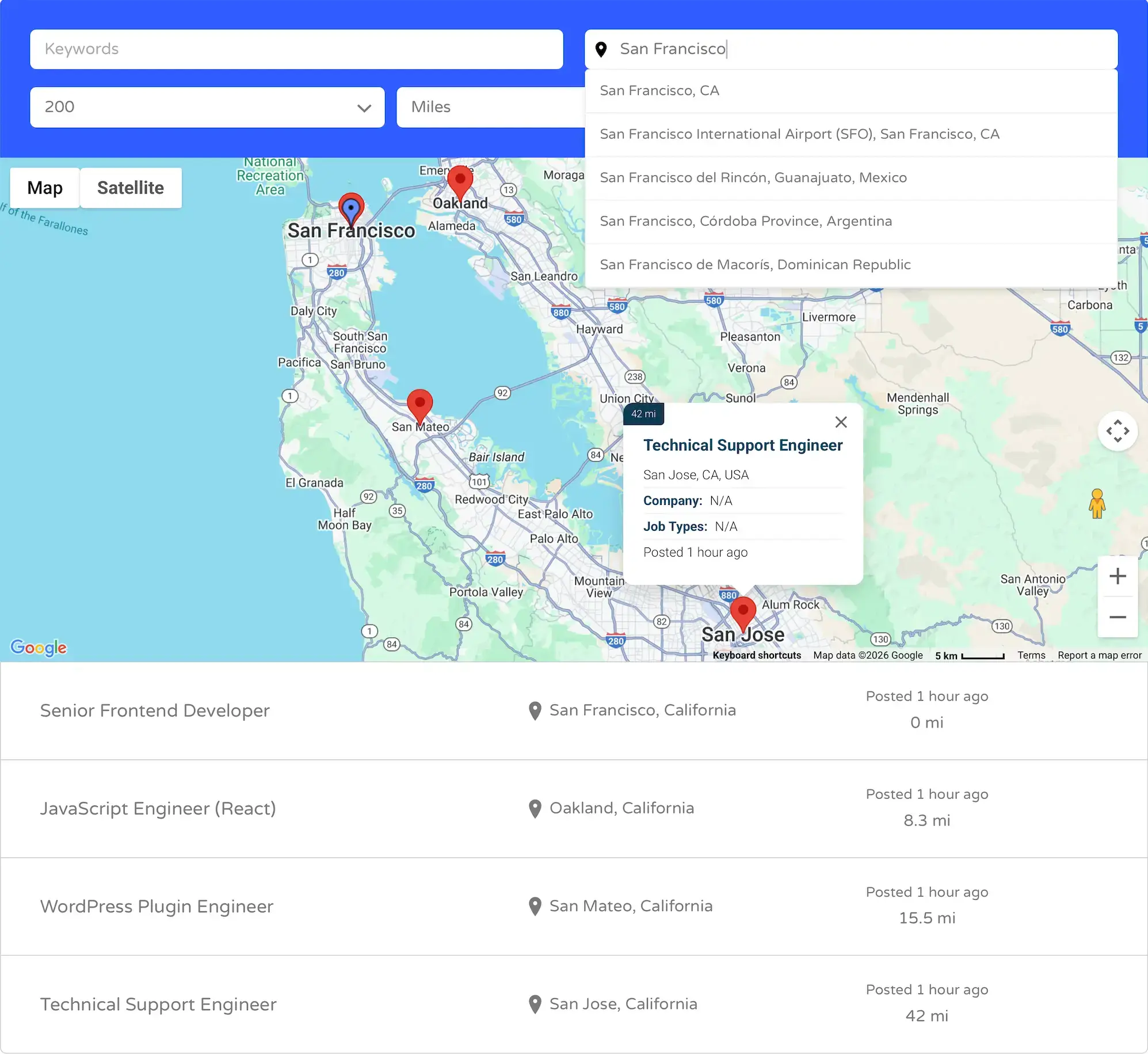
WP Job Manager Geolocation adds address autocomplete, proximity search, distance filtering, current-location detection, and interactive maps to WP Job Manager.
Help visitors find nearby opportunities, display listings on maps, and collect accurate location data when jobs and resumes are submitted—all while continuing to use WP Job Manager’s native listings, forms, and shortcodes.
Powerful Location Features for Job Boards
- Address Autocomplete – Provide Google-powered address suggestions when users search for or submit a location.
- Proximity Search – Let visitors find jobs or resumes within a selected distance from an address or their current position.
- Radius Filtering – Offer configurable distance options using miles or kilometers.
- Distance Display – Show the calculated distance between the searched location and each result.
- Current-Location Detection – Let visitors search using their browser-provided location.
- Interactive Results Maps – Display matching jobs or resumes as markers alongside the results.
- Single Listing Maps – Show an individual job or resume location on its single listing page.
- Mashup Maps – Display multiple job or resume locations together using dedicated map shortcodes.
Built Around WP Job Manager
The plugin extends WP Job Manager’s existing workflows instead of replacing them. Geolocation works with the native job and resume post types, submission forms, search forms, and shortcodes.
- Native Shortcode Integration – Add geolocation to the existing
[jobs]and[resumes]shortcodes. - Global or Per-Shortcode Configuration – Manage geolocation through the plugin settings or customize individual shortcode instances.
- Optional Maps – Use proximity search with or without displaying a results map.
- Front-End and Admin Support – Geocode locations when listings are submitted or edited from either interface.
- Structured Location Storage – Store coordinates and address data for reliable location queries.
- Theme-Friendly Output – Integrates without requiring custom WP Job Manager template replacements.
- Performance-Focused Queries – Location filtering runs only when geolocation is enabled, leaving standard searches unaffected.
Choose the Right Package
Starter
Starter provides complete geolocation functionality for job listings on one website, including:
- Job-location autocomplete and geocoding.
- Location and radius search.
- Distance display.
- Current-location detection.
- Single job maps.
- Job results and mashup maps.
- Integration with the native
[jobs]shortcode.
Pro
Pro includes everything in Starter and extends the same geolocation system to resumes and job alerts. Pro is available for 1, 3, or 20 websites.
- Resume location autocomplete and geocoding.
- Resume proximity search and distance filtering.
- Single resume maps.
- Resume results and mashup maps.
- Location- and distance-based job alerts.
Important: Resume features require the separate WP Job Manager Resume Manager extension. Alert features require the separate WP Job Manager Job Alerts extension. These extensions are not included with WP Job Manager Geolocation.
Google Maps API Requirements
WP Job Manager Geolocation uses separate Browser and Server API keys:
- Browser API Key: Used for Google Maps, address autocomplete, markers, and other browser-based location features. Enable the Maps JavaScript API, Places API (New), and Geocoding API as described in the setup guide.
- Server API Key: Used by WP Job Manager when job or resume locations are geocoded on the server. This key requires the Geocoding API and is entered in the WP Job Manager settings.
For secure restrictions and complete setup instructions, follow the Google Maps API key setup guide.
Common Use Cases
- Local Job Boards – Help candidates find opportunities within commuting distance.
- National Job Directories – Search large collections of jobs by address, region, or radius.
- Resume Directories – Allow employers to find candidates near a selected location.
- Recruitment Platforms – Connect employers and candidates using accurate proximity information.
- Location-Based Job Alerts – Notify users when matching jobs are published within their selected radius.
- Map-Based Directories – Present available jobs or candidates through interactive maps.
Learn More
Frequently Asked Questions
What does WP Job Manager Geolocation do?
It adds address autocomplete, location detection, proximity search, distance filtering, and interactive maps to WP Job Manager. Starter supports job listings, while Pro also supports resumes and job alerts.
What is the difference between Starter and Pro?
Starter provides complete geolocation functionality for job listings on one website. Pro includes everything in Starter and adds geolocation for resumes and job alerts, with licenses available for 1, 3, or 20 websites.
Do I need Google Maps API keys?
Yes. A Browser API Key is required for maps, address autocomplete, and browser-based location features. A separate Server API Key is required by WP Job Manager for server-side geocoding when job or resume locations are saved.
Can I use proximity search without displaying a map?
Yes. Location and radius filtering can be enabled without displaying a results map. Maps are optional and can be configured independently.
Can I display multiple listings on one map?
Yes. You can display search results on a synchronized map or use the dedicated mashup-map shortcodes to display multiple job or resume locations independently.
Does the plugin support resumes and job alerts?
Yes, with the Pro package. Resume functionality also requires the WP Job Manager Resume Manager extension, and alert functionality requires the WP Job Manager Job Alerts extension. Those extensions are purchased separately.
Does it replace WP Job Manager’s forms or shortcodes?
No. The plugin extends WP Job Manager’s existing job, resume, alert, and shortcode workflows rather than replacing them with a separate listing system.