
The Complete Geolocation Solution for Ninja Forms
Ninja Geolocation transforms Ninja Forms into a powerful location platform for collecting addresses, displaying interactive maps, validating locations, calculating distance and travel time, and building advanced location-aware workflows with Google Maps Platform.
Build delivery forms, service requests, travel calculators, property forms, event registrations, field-service workflows, and more—without developing a custom geolocation integration.
Everything You Need for Location-Aware Forms
Ninja Geolocation provides native Ninja Forms fields and tools for location collection, mapping, routing, validation, and advanced location workflows. Available features depend on the Ninja Geolocation plan you choose.
Geolocation Fields
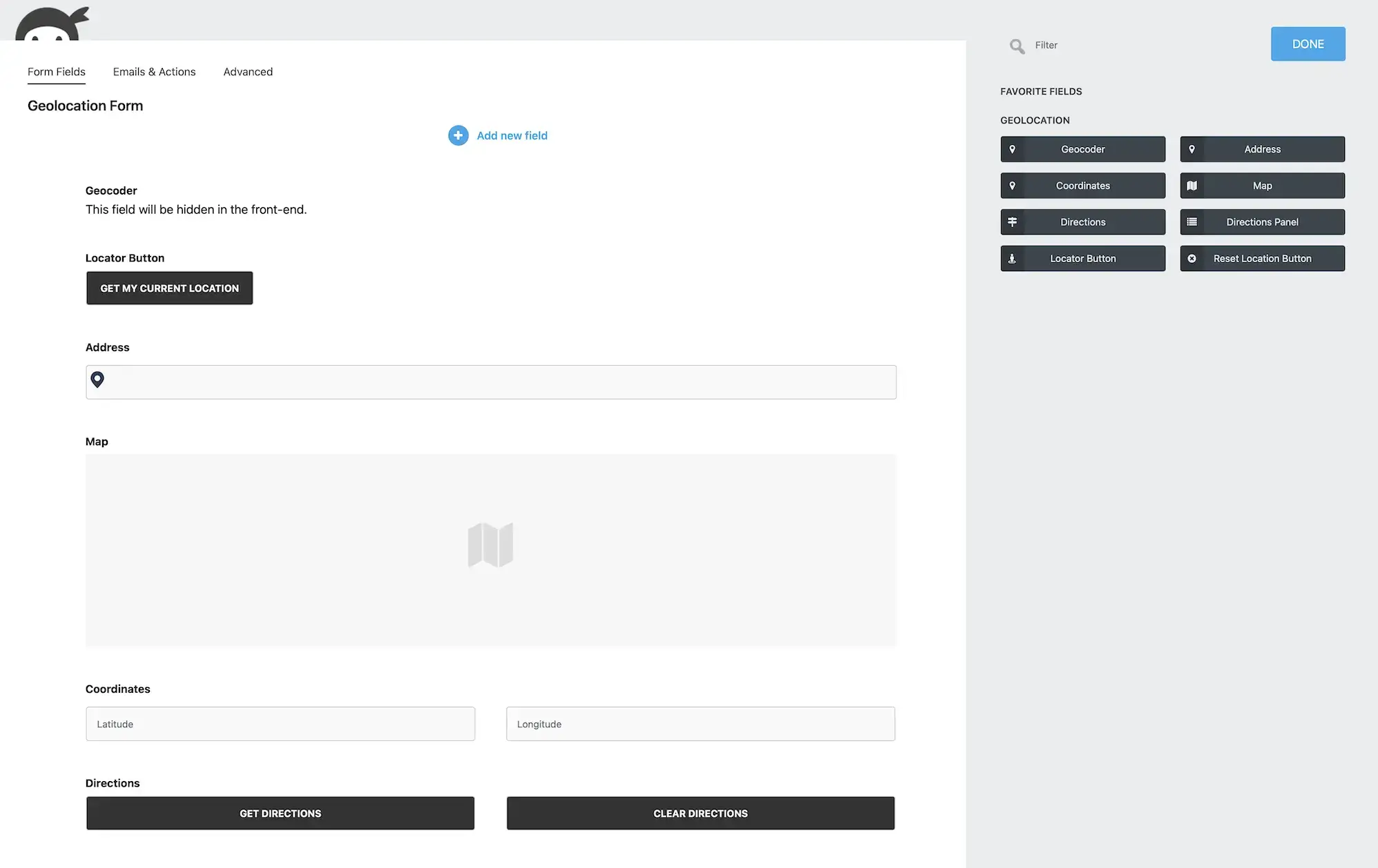
- Geocoder Field – Geocode locations and keep connected address, coordinates, and map fields synchronized.
- Address Field – Add Google-powered address autocomplete and location lookup.
- Coordinates Field – Capture precise latitude and longitude coordinates.
- Map Field – Let users select and refine locations on an interactive Google Map.
- Locator Button – Detect and use the visitor's current location.
- Reset Location Button – Clear a connected location and its associated fields.
- Dynamic Location Field Options – Populate compatible native Ninja Forms fields with addresses, coordinates, distances, durations, and other location data.
Maps and Submission Visualization
- Single Entry Maps – Display the saved location from an individual Ninja Forms submission.
- Entries Mashup Maps – Combine locations from multiple submissions on one interactive map.
- Custom Markers – Configure marker icons and map presentation.
- Marker Clustering – Group nearby markers on maps containing multiple locations.
- Static Maps – Display lightweight map images in supported entry and notification output.

Advanced Location Features
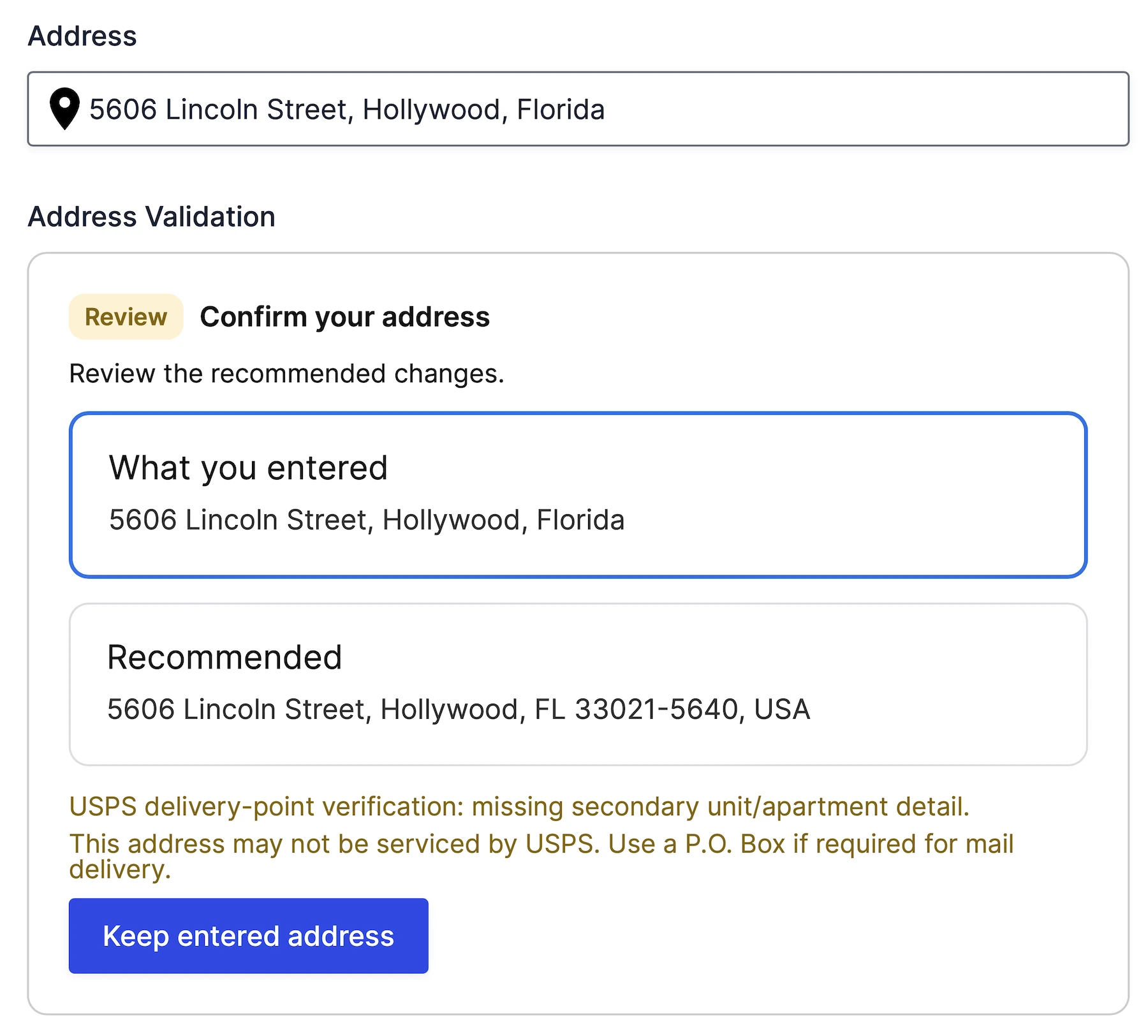
- Address Validation – Verify, review, and standardize addresses before they enter your workflow.
- Distance & Duration – Calculate route-based or straight-line distance and estimated travel time.
- Routes & Directions – Display interactive routes and turn-by-turn directions, with support for waypoints and travel preferences.
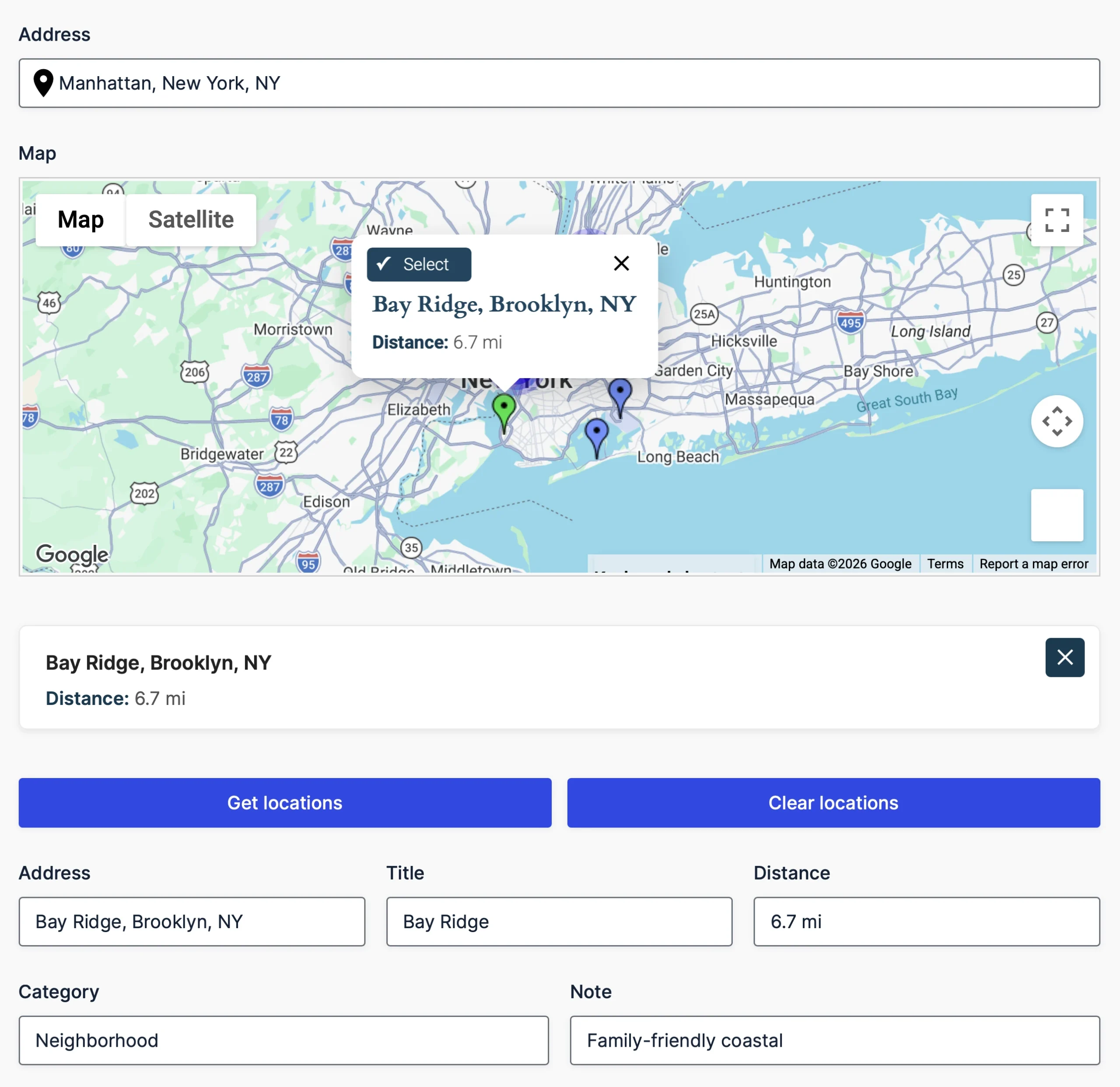
- Nearest Locations – Find and select the closest configured store, office, pickup point, or destination.
- Drawing Tools & Shape Fields – Draw or preload service areas, delivery zones, property boundaries, and custom map regions.
- Field Synchronization – Keep connected addresses, coordinates, maps, routes, and other location fields synchronized.
- Dynamic Location Data – Send calculated and selected location values into compatible Ninja Forms fields, calculations, and workflows.

Choose the Right Ninja Geolocation Plan
- Starter — Core Location Collection: Geocoder, Address, Coordinates, Map, Locator, Reset, and dynamic location tools for one site.
- Pro — Advanced Routing & Mapping: Everything in Starter, plus Address Validation, Distance & Duration, Directions, Directions Panel, and submission maps for three sites.
- Agency — Complete Geolocation Suite: Everything in Pro, plus Nearest Locations and Drawing tools for twenty sites.
Compare all Ninja Geolocation plans and features.
Smart Location Workflows
Ninja Geolocation goes beyond collecting addresses. Its fields can work together to create practical location-aware experiences and automate the flow of location data through your forms.
- Delivery & Service Areas – Validate destinations, calculate travel distance, and collect service-area information.
- Travel & Pricing Calculations – Use distance and duration values in delivery fees, travel costs, quotes, and other calculations.
- Current Location Detection – Let visitors use their current location instead of entering it manually.
- Location-Based Automation – Populate fields and use location values with calculations, conditional logic, notifications, and custom workflows.
- Accurate Address Collection – Improve address entry with Places API (New) autocomplete and optional Address Validation.
- Interactive Maps – Let users select, refine, and visualize locations directly on Google Maps.
Popular Use Cases
- Delivery and Logistics Forms
- Service Request Forms
- Property and Inspection Forms
- Travel and Booking Forms
- Event Registration Forms
- Field Service Workflows
- Lead Qualification Forms
- Store, Office, and Pickup-Point Selection
Why Choose Ninja Geolocation?
- Native Ninja Forms integration — Add and configure location fields through the familiar Ninja Forms builder.
- Powered by Google Maps Platform — Use modern mapping, autocomplete, geocoding, routing, and address-validation services.
- Flexible feature packages — Start with location collection and add routing, submission maps, nearest-location workflows, or drawing tools as needed.
- Highly configurable — Customize fields, maps, calculations, output, and connections between location components.
- Built for site owners and developers — Configure common workflows without custom development and extend advanced implementations with developer tools.
- Works with existing Ninja Forms — Add geolocation features to forms without replacing your form builder.
Learn More About Ninja Geolocation
Visit the official Ninja Geolocation website to explore live demos, documentation, feature overviews, pricing, and setup guides.
Frequently Asked Questions
What can I build with Ninja Geolocation?
Ninja Geolocation can be used for delivery forms, service requests, travel calculations, property and inspection forms, event registrations, field-service workflows, nearest-location selection, and many other location-aware Ninja Forms applications.
Do I need Google Maps Platform API keys?
Yes. Ninja Geolocation uses separate Browser and Server API keys. The exact Google services required depend on the features used, but commonly include Maps JavaScript API, Places API (New), Geocoding API, Routes API, Address Validation API, and Maps Static API.
Can I calculate travel distance and directions?
Yes. The Pro and Agency plans include dedicated Distance & Duration and Directions fields for calculating travel distance, estimated travel time, route information, and turn-by-turn directions.
Can I display submitted locations on a map?
Yes. Pro and Agency include shortcodes for displaying an individual Ninja Forms submission on a Single Entry Map or combining multiple submissions on an Entries Mashup Map.
Does Ninja Geolocation support address validation?
Yes. Pro and Agency include an Address Validation field that uses Google's Address Validation API to review and standardize addresses.
Can I find the nearest location automatically?
Yes. The Agency plan includes Nearest Locations for comparing configured destinations using radius, driving distance, or travel time and selecting the closest matching location.
Does the plugin work with every Ninja Forms license level?
Yes. Ninja Geolocation works with Ninja Forms regardless of the Ninja Forms license level. The geolocation features available to you are determined by your Ninja Geolocation plan.